Overview
Key Features
-
Azure Honeypot Deployment
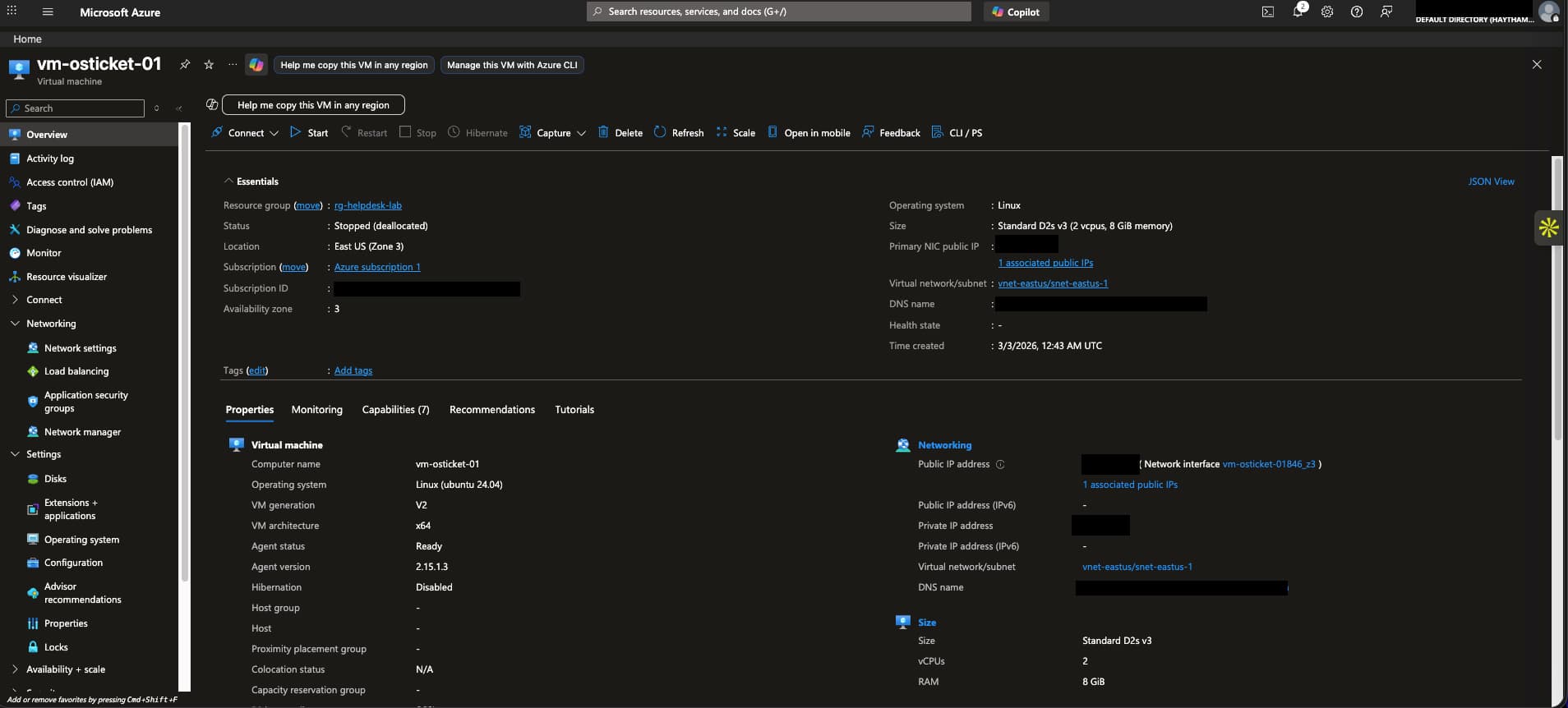
- Deployed a Windows 10 VM in Azure as a honeypot.
- Disabled Windows Firewall and configured NSG inbound rules to allow RDP (3389) + all traffic for maximum exposure.
- Verified exposure by pinging the VM externally and logging in via Remote Desktop.
-
Attack Capture (Event Viewer)
- Generated failed login attempts (employee, fake accounts).
- Captured logs under Event ID 4625 in Windows Event Viewer (failed logons).
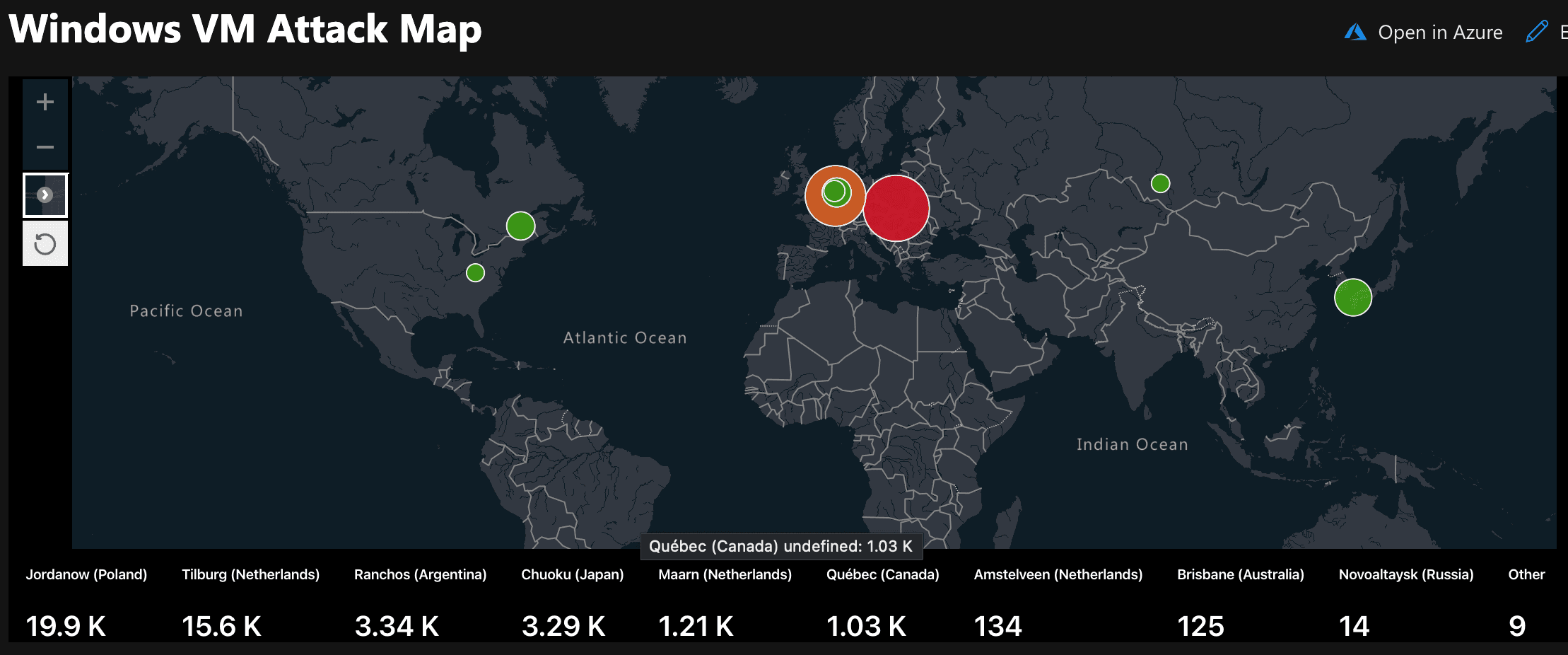
- Within hours, received brute-force traffic from Canada, U.S., Netherlands, Poland, Argentina, Australia, and Russia.
- Reached 44,000+ failed logons over a single day.
-
Centralized Log Collection (LAW)
- Created a Log Analytics Workspace as the centralized repository.
- Installed the Azure Monitor Agent (AMA) extension on the VM.
- Confirmed SecurityEvent logs forwarding into LAW.
-
SIEM Integration (Microsoft Sentinel)
- Enabled Microsoft Sentinel on the LAW.
- Wrote custom KQL queries to filter 4625 failed logons and identify brute-force activity:
Kql
SecurityEvent
| where EventID == 4625
| project TimeGenerated, Account, Computer, IpAddress
| order by TimeGenerated desc
-
Threat Intelligence Enrichment
- Imported geoip-summarized.csv as a Sentinel Watchlist (~54,000 rows).
- Used ipv4_lookup to enrich attacker IPs with latitude, longitude, city, and country.
- Example:
Kql
let GeoIPDB = _GetWatchlist("geoip");
SecurityEvent
| where EventID == 4625
| evaluate ipv4_lookup(GeoIPDB, IpAddress, network)
| project TimeGenerated, Account, IpAddress, CityName, CountryName
-
Attack Map Visualization
- Built a Sentinel Workbook with JSON + KQL to display a global attack heatmap.
- Visualized real brute-force attempts by country and city, with live counts of attacks.
- Example: 26K failed logons from Poland, 13K from Belgium, hundreds from North America & Asia.
-
Documentation & Evidence
- Screenshots of VM setup, NSG rules, Event Viewer logs, KQL queries, GeoIP watchlist, and global attack map.
- Recorded timeline of when attacker traffic began and log volume growth.
Technologies Used
- Cloud & Virtualization: Microsoft Azure (VMs, Resource Groups, NSG, LAW).
- Operating Systems: Windows 10 VM (honeypot).
- Security Monitoring: Microsoft Sentinel SIEM, Log Analytics Workspace.
- Query Language: Kusto Query Language (KQL).
- Threat Intelligence: GeoIP watchlist enrichment via CSV.
- Networking & Exposure: RDP (3389), NSG inbound rules, firewall disabled.
- Tools & Evidence: Event Viewer, Azure Monitor Agent, Sentinel Workbooks.
Challenges and Learnings
- Azure subscription limits: Required removing the spending cap to deploy the VM.
- Firewall exposure trade-offs: Learned why SOCs normally restrict NSG/firewall rules—this lab required full exposure to attract traffic, but in production that would be a security risk.
- Log delay: SecurityEvent logs took ~30–40 minutes to begin flowing into LAW after AMA setup.
- Data enrichment: Realized that raw logs lack geographic context; enrichment via IP → GeoIP mapping adds critical SOC insight.
- Query optimization: Using project and ipv4_lookup reduced noise and made dashboards efficient.
Outcome
- Captured live attacks: Over 44,000 brute-force login attempts across multiple continents in less than 24 hours.
- SOC-like workflow: Ingested, queried, enriched, and visualized attacker data end-to-end.
- Portfolio impact: Demonstrates hands-on experience with SIEM setup, log analysis, threat enrichment, and SOC dashboards.
- Next steps:
- Create Sentinel analytic rules to trigger incidents on brute-force thresholds.
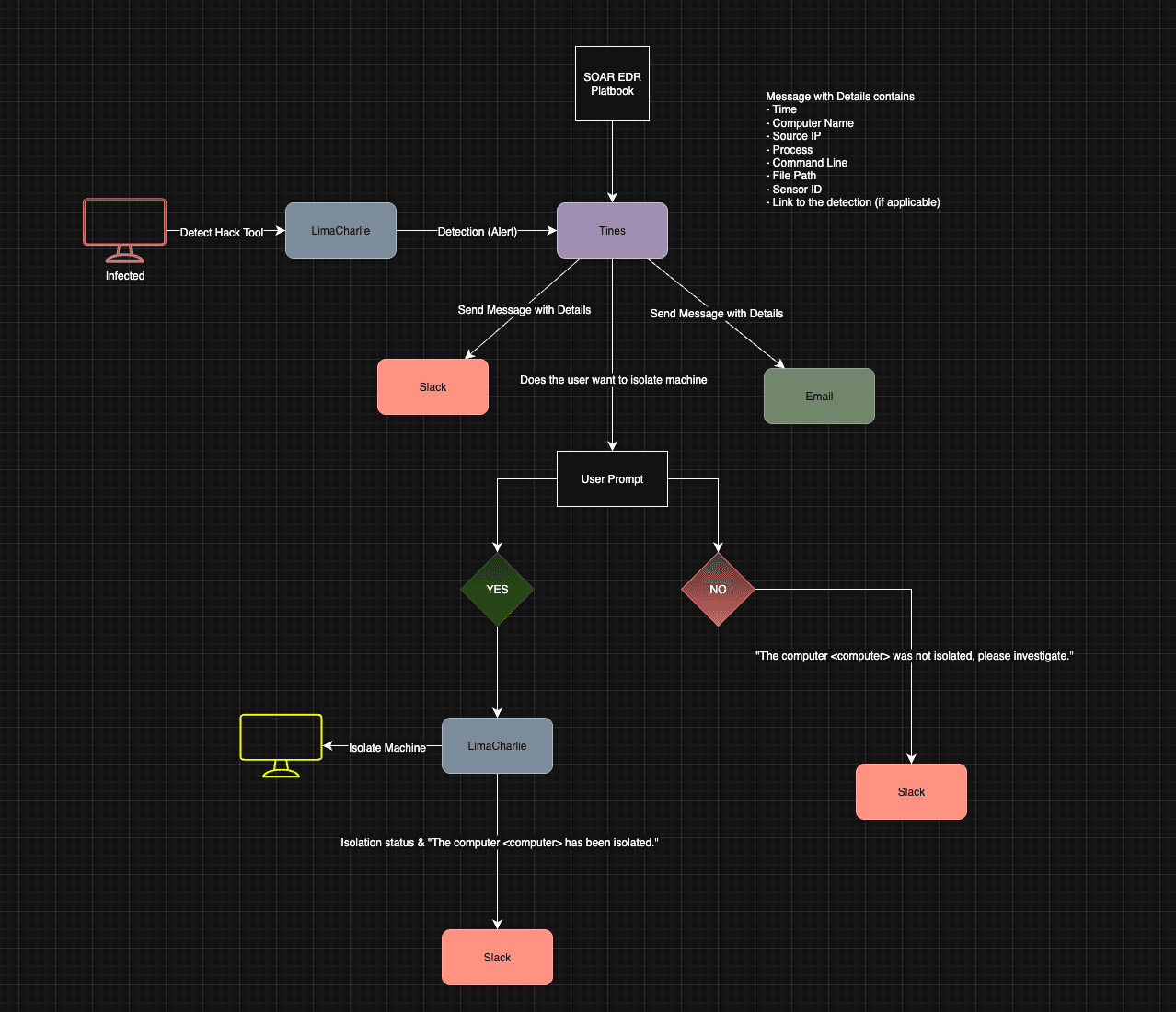
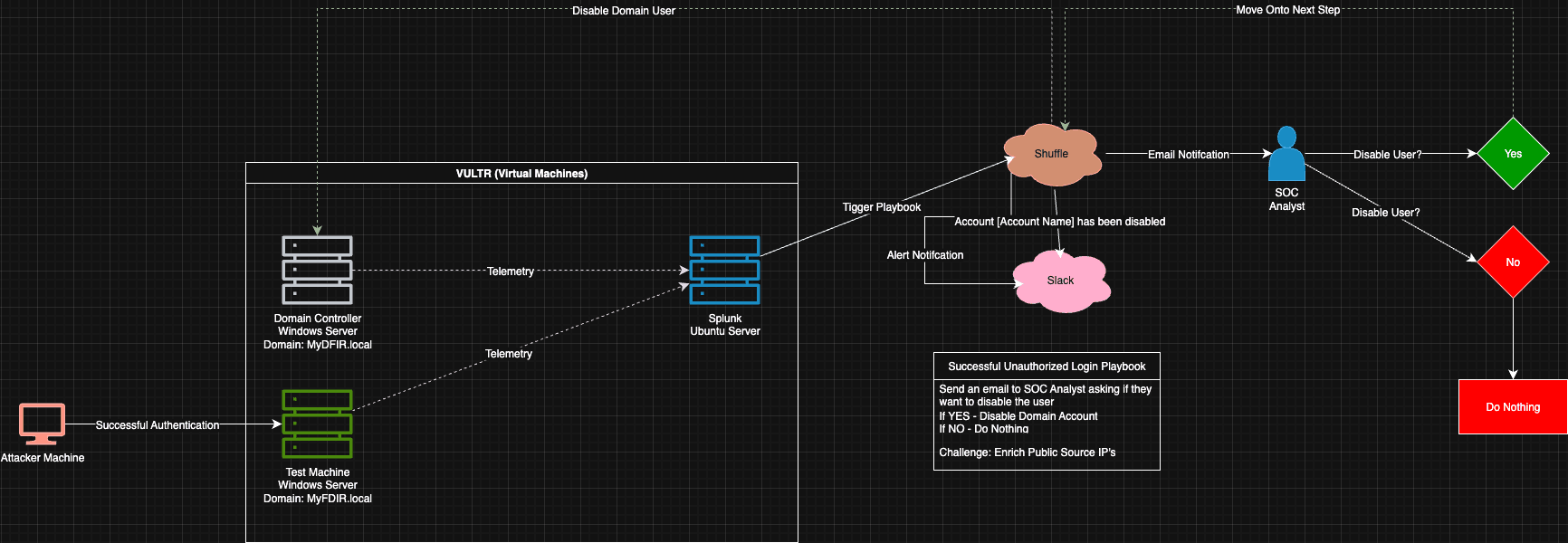
- Integrate SOAR playbooks (e.g., auto-block attacker IP ranges).
- Add Linux honeypot VM for SSH brute-force telemetry.